
Vokolla news · Product launch
Vokolla Press Release Agent launches on Claude, bringing the PR workflow into AI conversations
Vokolla today announced that Vokolla Press Release Agent is live in Claude’s connector directory, with public entries and integration information also available through the MCP Registry, Smithery and LobeHub. Businesses can connect their Vokolla account to turn company news into a press release, refine the wording, save a new draft and follow publication progress from an AI conversation.
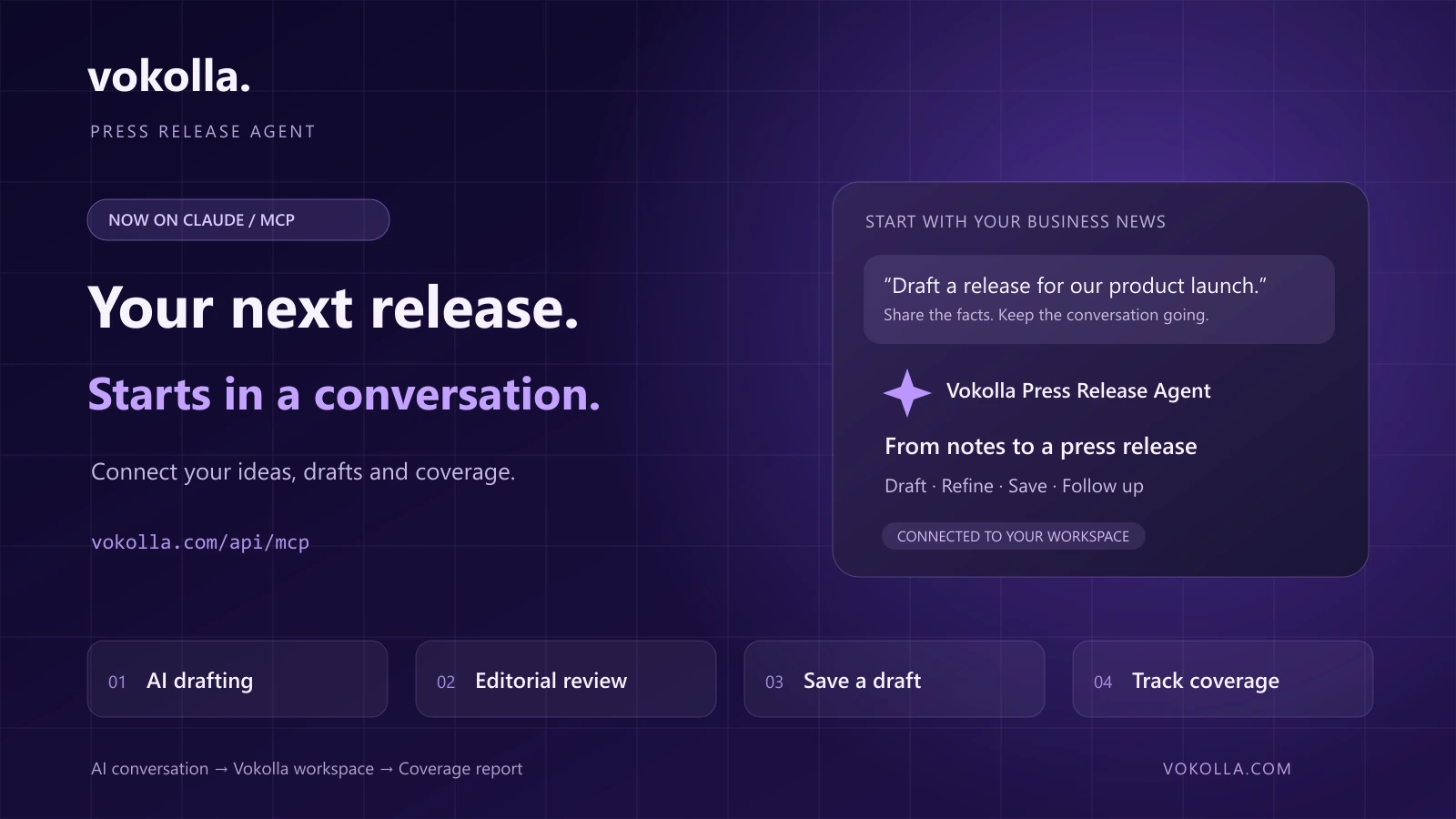
Your next announcement can start with a conversation
A product update, a new market or an important company milestone often starts as a few scattered notes. Vokolla Press Release Agent brings those facts into a connected preparation workflow, helping a business move from the news it wants to share to a draft it can work with.
Instead of moving repeatedly between a chat window and a separate writing tool, users can ask for a draft, request editorial feedback, refine the text in the conversation and explicitly save a new draft to their Vokolla account. English and Simplified Chinese are supported.
The launch extends Vokolla’s all-in-one press release preparation and distribution platform into the AI tools customers already use. Vokolla remains the workspace for choosing how to distribute a release, confirming the content and following its progress.
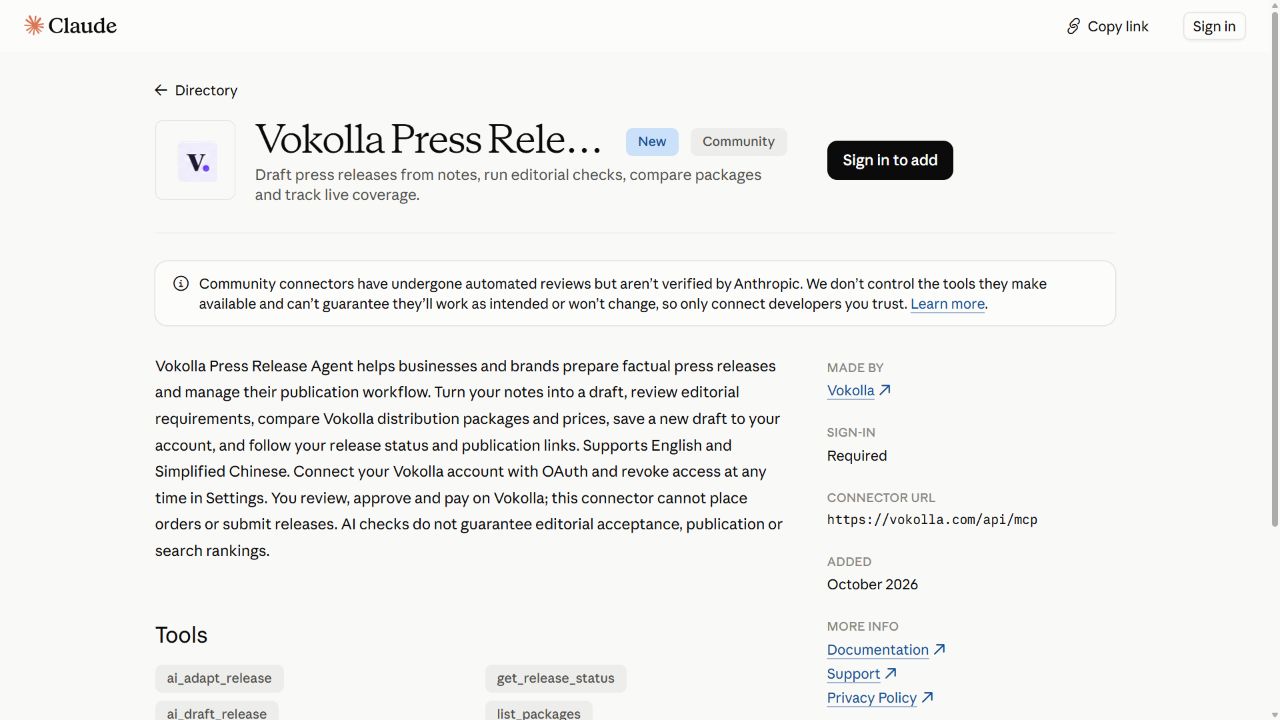
Source: Add Vokolla Press Release Agent from the Claude directory
From a first draft to publication follow-up
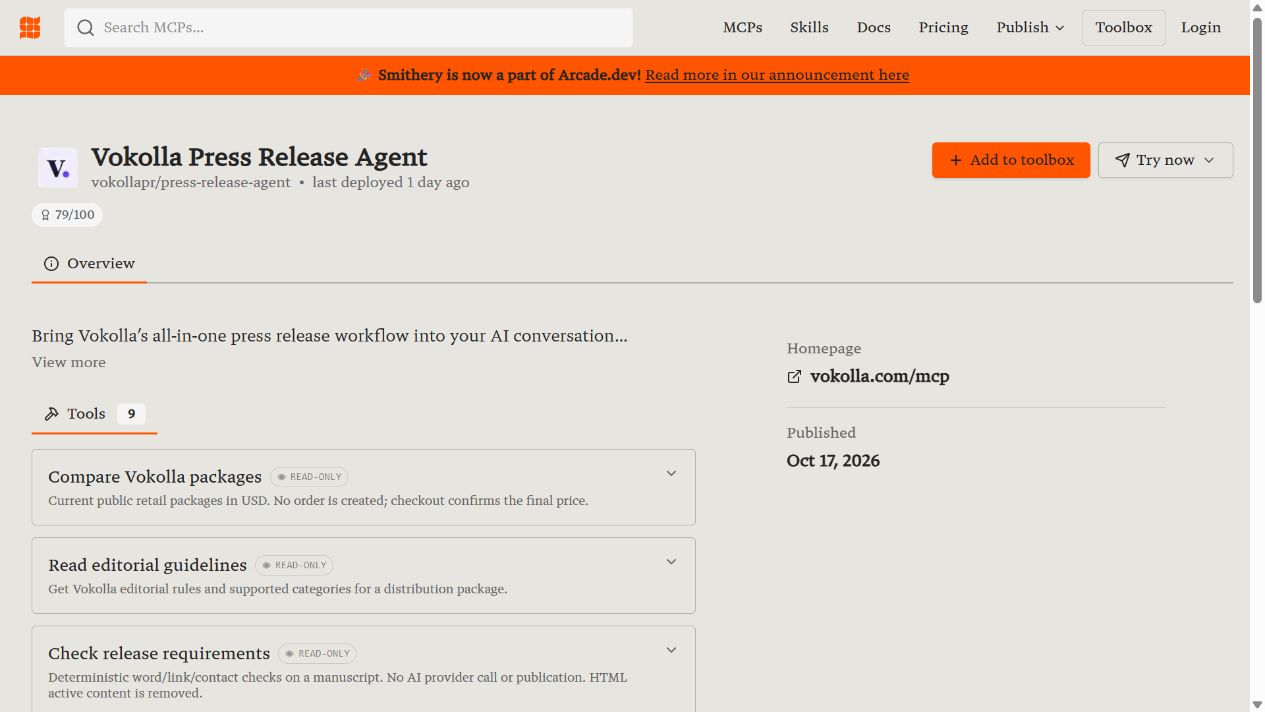
The standard MCP connection exposes nine tools that work together across preparation and follow-up. Users can explore Vokolla packages and editorial guidelines, check a manuscript, draft and review with AI, prepare a revision for USA Today requirements, save a new draft, list their own releases and check an individual release’s progress and available publication links.
Publishing continues in the Vokolla workspace: the customer reviews the saved draft, selects a package and confirms payment there. The platform then handles the submission workflow and status tracking. The AI conversation becomes a useful place to return when the customer wants to check progress or find the available coverage links.
Source: Vokolla MCP connection guide and tool reference
- Prepare: turn supplied business facts into a clear press release draft.
- Refine: review editorial issues and work through proposed changes in the conversation.
- Save: ask explicitly to create a new draft in your Vokolla account.
- Publish and follow up: confirm on Vokolla, then query progress and available media links through the connected account.
Nine tools for preparation and publication follow-up
From understanding distribution options to preparing a release and finding its available publication links, Vokolla makes these capabilities accessible through one hosted MCP server. The standard connection provides the following nine tools:
Source: Vokolla MCP connection guide and tool reference
| Purpose | Tool | What it does |
|---|---|---|
| Compare distribution packages | list_packages | Explore Vokolla’s public packages and prices. |
| Read editorial requirements | get_editorial_guidelines | Read a package’s editorial rules and supported categories. |
| Check manuscript details | check_release | Check word counts, links and required manuscript details. |
| Draft from business facts | ai_draft_release | Turn supplied facts into a proposed release. |
| Review with AI | ai_review_release | Identify editorial issues and suggested revisions. |
| Prepare a USA Today revision | ai_adapt_release | Prepare proposed changes for USA Today editorial formatting. |
| Save a new account draft | save_draft | Create a new draft in your account when you explicitly request it. |
| Find your releases | list_releases | Read the connected account’s latest release records. |
| Track progress and coverage | get_release_status | Read the selected release’s synchronized status and available coverage URLs. |
How to use the Agent in Claude: six steps
Connect your Vokolla account and enable Vokolla in the Claude conversation, then describe what you need in ordinary language. Start with a few business facts, or bring an existing draft to continue editing. Here is the workflow:
Source: Vokolla MCP connection guide and tool reference
- Share the facts. Explain the announcement and provide confirmed dates, features, figures, company background, contact details and any approved quotes. Resolve missing information in the conversation.
- Explore options and requirements. Tell the Agent your communication goals and budget, then ask about Vokolla packages, editorial requirements and supported content categories.
- Draft the release. Ask Vokolla to prepare an English or Simplified Chinese draft, then discuss the tone, length, headline and emphasis.
- Check and refine. Ask for manuscript requirement checks and AI editorial review, then work through the suggestions in the conversation.
- Save a new draft. Explicitly ask to save the version you are happy with to your own Vokolla account for review.
- Confirm publication and follow up. Open the draft on Vokolla, confirm the content and package and pay there. Return to Claude to query release progress and available media publication links.
Prompts you can copy
“Use Vokolla to draft an English press release about our new product. Here are the confirmed launch date, features and company details. Ask me for any missing facts.”
“Review this draft with Vokolla and suggest clearer wording for the headline and opening paragraph.”
“Save this version as a new draft in my Vokolla account.”
“Check my latest Vokolla release and show its current progress and available publication links.”
Connect Vokolla Press Release Agent
Open the Vokolla Press Release Agent listing in Claude’s directory, sign in to Claude and add the connector. Sign in to your Vokolla account when prompted, review the requested permissions and approve the connection. Once connected, enable Vokolla in the conversation and begin with your announcement.
For a supported MCP client that accepts a remote server address, the standard hosted connection is https://vokolla.com/api/mcp. The connection guide explains setup, account authorization and the tool reference.
Account access uses OAuth. Users can review and revoke the connection in Vokolla Settings. Draft saving requires an explicit request; order confirmation and payment take place on Vokolla.
Source: Add Vokolla Press Release Agent from the Claude directory
Beyond Claude: discover Vokolla across the MCP ecosystem
MCP, the Model Context Protocol, provides a common way for AI applications to connect to tools and services. Vokolla’s MCP server goes beyond a product description: it connects AI-assisted preparation, account drafts and release records to callable tools.
Alongside the Claude directory, Vokolla Press Release Agent has public entries on the MCP Registry, Smithery and LobeHub. These entries serve different roles, from adding an account-connected service to discovering its tools and reading setup information.
The Claude directory listing is live now. Account connection in other AI applications depends on their MCP support, permissions and authorization flows. The public entries help users understand the tools, while Vokolla’s guide explains the appropriate setup.
Vokolla also provides public GitHub integration documentation, a Claude tutorial and examples, plus Vokolla MCP Doctor on npm for checking public tool discovery, OAuth metadata and client configuration. MCP Doctor diagnoses a connection; the hosted Agent connects through its server address.
Source: Add Vokolla Press Release Agent from the Claude directory
Source: Official MCP Registry entry for Vokolla Press Release Agent
Source: Vokolla Press Release Agent on Smithery
Source: Vokolla Press Release Agent on LobeHub
Source: Vokolla public MCP integration documentation and examples
Source: Vokolla MCP Doctor connection diagnostic on npm
Source: Vokolla MCP connection guide and tool reference
| Platform | Public entry | How it helps |
|---|---|---|
| Claude | Vokolla Press Release Agent connector listing | Add the connector, connect your account and use it in a conversation. |
| MCP Registry | com.vokolla/press-release-agent server entry | Find the server identity, transport and remote endpoint. |
| Smithery | Vokolla listing and nine-tool reference | Discover tool capabilities and public connection details. |
| LobeHub | Vokolla MCP profile and integration information | Browse the use cases, Claude tutorial and tool documentation. |
AI preparation and self-service distribution in one workspace
Vokolla helps businesses and brands announce products, enter new markets and share company milestones. Its all-in-one workspace combines AI-assisted preparation, self-service press release distribution, progress tracking and coverage reporting. Selected distribution packages include AP News, USA Today, Yahoo and Business Insider.
The MCP launch makes the place where a business discusses its ideas a practical starting point for preparing the next release and checking the last one. Vokolla connects that conversation to the publishing workspace and the coverage report.
Source: Vokolla press release preparation and distribution platform
Event date: 2026-10-18 · News
Sources and editorial method
Product announcement from Vokolla, prepared with AI assistance and checked against the public Claude, MCP Registry, Smithery and LobeHub entries and Vokolla’s integration documentation. The cover is an original workflow illustration. The article also includes actual public-directory screenshots captured on 18 October 2026.
- Add Vokolla Press Release Agent from the Claude directory — Checked 2026-10-18
- Vokolla MCP connection guide and tool reference — Checked 2026-10-18
- Vokolla Press Release Agent on Smithery — Checked 2026-10-18
- Official MCP Registry entry for Vokolla Press Release Agent — Checked 2026-10-18
- Vokolla Press Release Agent on LobeHub — Checked 2026-10-18
- Vokolla public MCP integration documentation and examples — Checked 2026-10-18
- Vokolla MCP Doctor connection diagnostic on npm — Checked 2026-10-18
- Vokolla press release preparation and distribution platform — Checked 2026-10-18