
Product launches · Practical guide
From a product launch in Claude to a press release: a practical Vokolla workflow
The feature is ready, the landing page is live and you are still in Claude discussing what to ship next. That is a useful moment to prepare the announcement too. Connect Vokolla Press Release Agent to turn the facts already in the conversation into a draft, work through edits and save it for publication. This guide follows an illustrative SaaS launch from the first brief to checking media links, with prompts you can adapt to your own product.
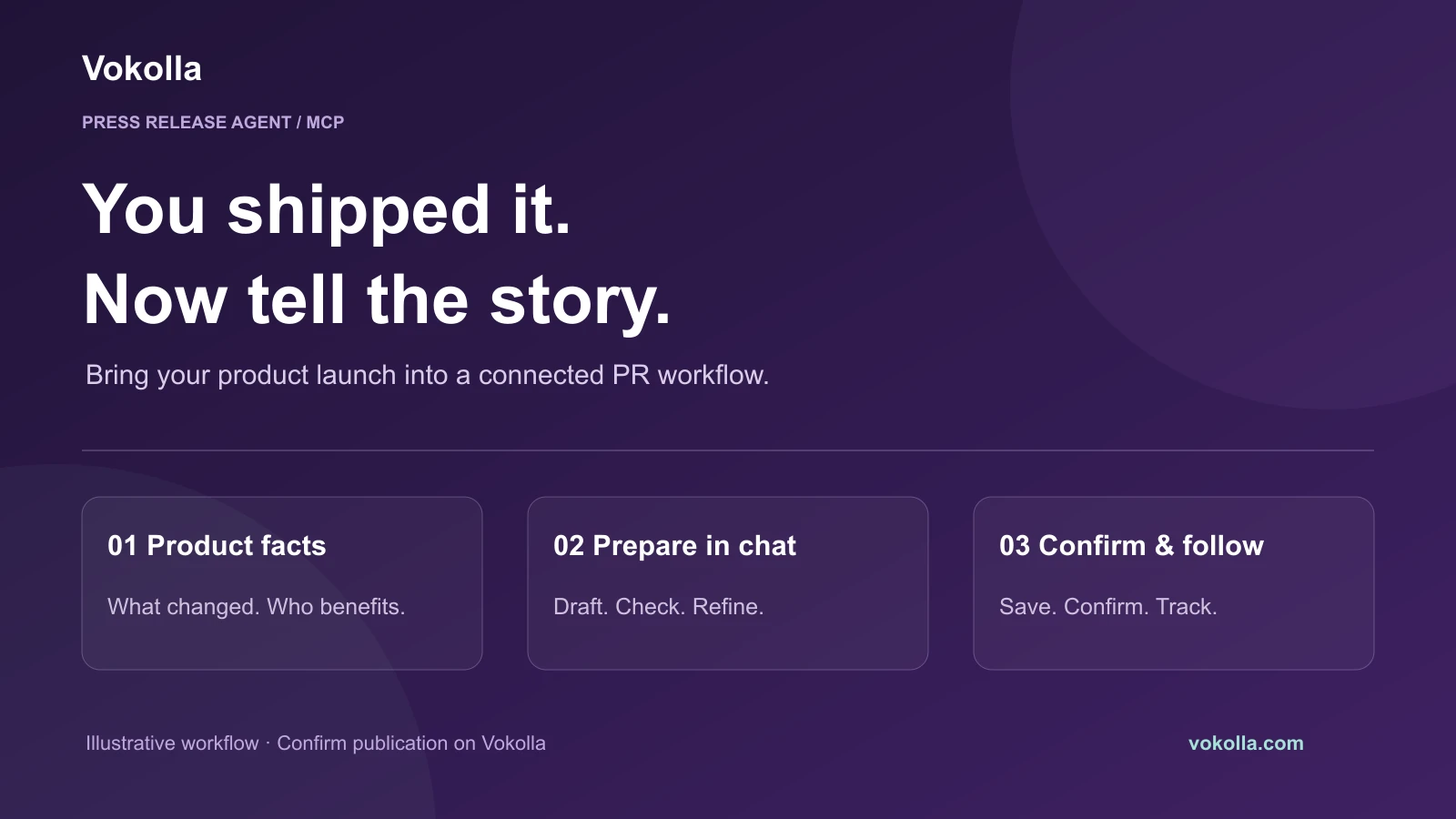
1. Decide what has changed for the customer
A product feature list is raw material. The release needs a change that matters to someone: a service becomes available in a new country, a workflow becomes simpler or a previously limited product opens to more users. Choose one lead and explain who benefits.
For this worked example, imagine a developer launching a scheduling tool for independent tutors. The confirmed change is that tutors can share a booking page and accept lesson requests. It is a fictional teaching example, not a Vokolla customer, and no launch date, adoption figure or testimonial is invented.
Source: Google Search Central: Creating helpful, reliable, people-first content
- Product: [your verified product name].
- Announcement: [what becomes available and when].
- Audience and benefit: [who can do what differently].
- Evidence: [live product page, documentation, approved screenshots].
- Contact and approved quote: [real details, or omit a quote].
2. Add Vokolla to Claude and connect your account
Open the official Vokolla Press Release Agent entry in Claude’s directory and add the connector. Follow the OAuth flow to sign in to your Vokolla account and review the requested permissions. Enable Vokolla in the conversation where you want to work.
The standard remote MCP address is https://vokolla.com/api/mcp. Use the official connection guide for client-specific setup. The same URL alone does not establish compatibility with every AI client; access can be revoked from Vokolla Settings.
Source: Claude: Vokolla Press Release Agent directory entry
Source: Vokolla MCP tool reference and account connection guide
3. Ask for a draft with a clear factual brief
Ask Vokolla to prepare a release from the confirmed facts. Tell the assistant which information is missing and what it must ask about before using. Keep private customer data, API credentials and unannounced commercial terms out of the brief.
Prompt: “Use Vokolla to draft an English product launch release. Product: [name]. Available from: [confirmed date]. Audience: independent tutors. New capability: a shareable booking page for lesson requests. Product URL: [live URL]. Company and contact: [approved details]. Lead with the audience benefit. Ask for missing facts; do not invent users, statistics or quotes.”
The AI drafting tool proposes text; it does not save or publish it. Read the headline and first paragraph first: can a reader identify the product, the change and its availability without knowing your company already?
Source: Vokolla MCP tool reference and account connection guide
4. Review, revise and save a new draft
Ask for the editorial requirements of your intended package and run the manuscript checks and AI review. Review suggestions against the product itself: names, dates, prices, links, availability and any quotation need to remain accurate.
Prompt: “Use Vokolla to check this release and review it for editorial issues. Make the headline more specific and shorten the opening without changing the facts. Show me the proposed revision before saving.”
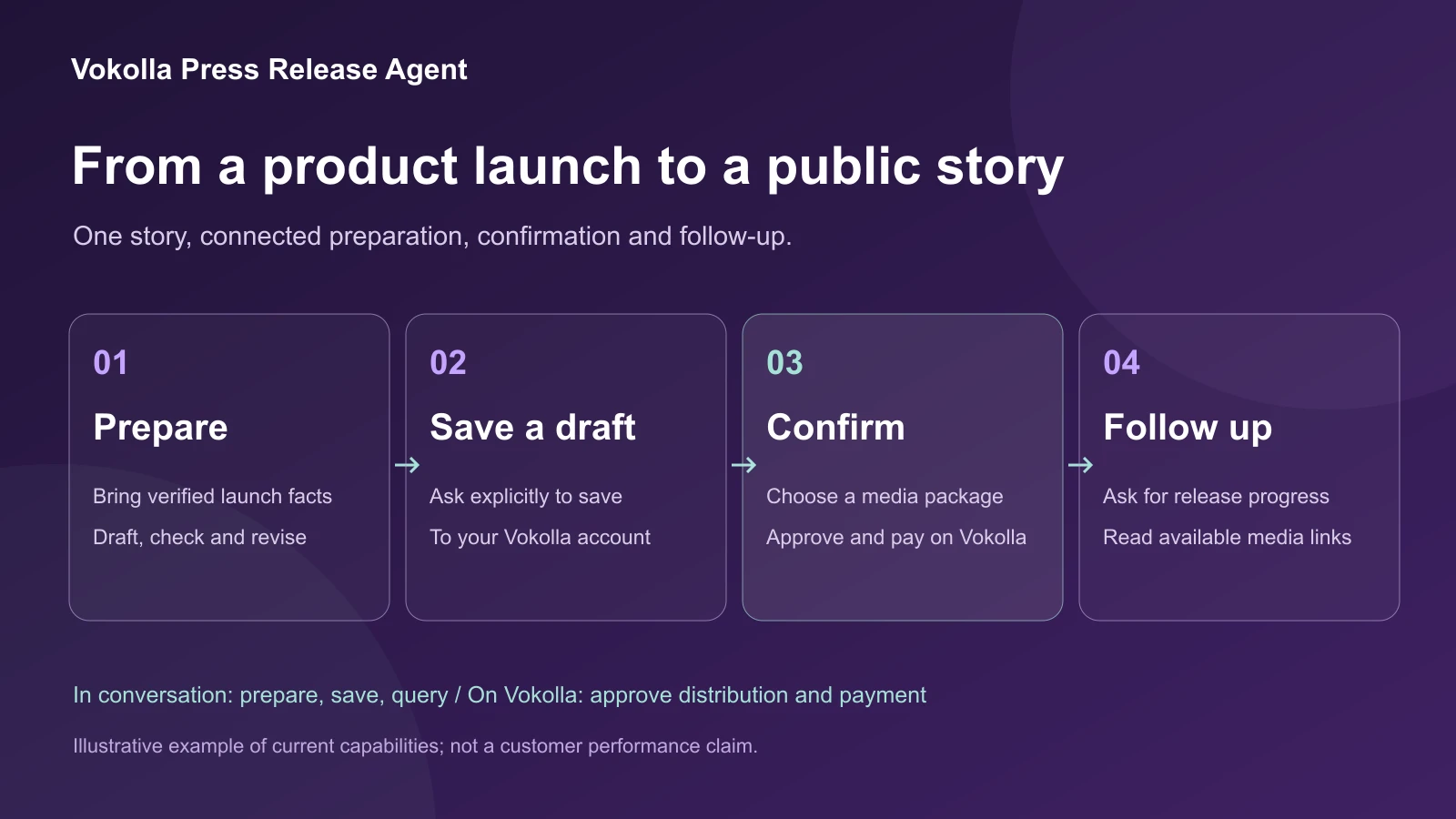
When the version is ready, give a separate explicit instruction: “Save this approved version as a new draft in my Vokolla account.” Saving creates a new draft for that account. If you later change the text in chat, ask to save the new version explicitly as well; editing the conversation is not an automatic update to a saved draft.
Source: Vokolla MCP tool reference and account connection guide
5. Choose a media package and confirm on Vokolla
Open the saved draft in Vokolla, review the full text and product URL, then select the distribution package that matches your audience and budget. Selected packages offer channels such as AP News, USA Today, Yahoo and Business Insider. Networks differ, so compare the actual package details rather than assuming every outlet is included in every option.
Confirm the release and payment in your Vokolla account. The connector handles preparation and records, while the website handles this approval step and the subsequent submission workflow. Publishers apply their editorial requirements. A press release channel placement is different from an independent newsroom story or a front-page feature.
Source: Vokolla current distribution packages and media coverage
Source: Vokolla MCP tool reference and account connection guide
6. Check the actual result and build a launch evidence page
Return to Claude and ask: “Use Vokolla to find my latest release and show its current status and available publication links.” If it is still in progress, use that status. Count a media URL only when the report contains it and the page is live.
On your own website, keep one clear launch article with the product name, date, audience, factual explanation, original image and product link. Add available publication links in a separate coverage section. Link the article from relevant product and news pages so readers can find the full context.
A media page, a Google result and a citation in an AI answer are separate observations. Record the publication URL and date, then use Search Console for your own site’s search visibility. If you observe an AI citation, retain the actual question, answer, source URL and date instead of presenting a single answer as a permanent recommendation.
What helps search engines and AI systems understand the launch?
Keep the key facts in readable page text, use descriptive headings and connect the announcement to supporting documentation. A named organization author, original images, clear dates and source links let a reader check the story; they also make the information easier to interpret.
Google says the usual SEO fundamentals apply to AI Overviews and AI Mode: accessible pages, useful text, internal links and structured data that agrees with the visible content. There is no special AI schema or text file required for those features. Its systems still decide what to crawl, index and show.
For your own launch article, use the content type that fits: NewsArticle for an actual announcement, BlogPosting for a tutorial. Preserve the original publication date and update the modified date only when you change the article substantively. These steps help describe the page; they do not buy an AI recommendation.
Source: Google Search Central: AI features and your website
| Outcome | Evidence to keep |
|---|---|
| Press release published | Actual live URL and publication date. |
| Own article found in search | Search Console observation or a dated search result. |
| AI answer cites a source | The question, dated answer and cited URL. |
| Product interest | Relevant visits, sign-ups or inquiries measured in your own analytics. |
Questions before you start
Can Claude publish the release without another step? The current connector can draft, check, revise, save new drafts and read records. You confirm the release, package and payment on Vokolla.
Can I prepare in Chinese? Vokolla supports English and Simplified Chinese for AI preparation. Use the selected package’s manuscript-language and editorial requirements when preparing the distribution version.
Will a media release put the product on a global front page? Choose the package for its stated distribution scope. A press release publication does not by itself create a newsroom feature, a front-page recommendation, a Google ranking or an AI citation.
Where can I see the launch announcement? The linked news article records the Claude directory launch and the verified public MCP entries. This guide focuses on using the workflow for your own product.
Source: Vokolla MCP tool reference and account connection guide
Sources and editorial method
Prepared by Vokolla with AI-assisted research and writing. Factual platform guidance was checked against the primary sources below. The diagrams, checklist and examples are editorial recommendations, not platform rules or measured customer results.
- Claude: Vokolla Press Release Agent directory entry — Checked 2026-10-18
- Vokolla MCP tool reference and account connection guide — Checked 2026-10-19
- Vokolla current distribution packages and media coverage — Checked 2026-10-19
- Google Search Central: AI features and your website — Checked 2026-10-19
- Google Search Central: Creating helpful, reliable, people-first content — Checked 2026-10-19