
Press release guides
How to draft and track a press release inside ChatGPT with Vokolla
You can now write the first draft of a press release without leaving ChatGPT. The Vokolla Press Release Agent, approved for the ChatGPT plugin directory on 18 November 2026, drafts a release from your notes, checks it against editorial rules and saves it to your Vokolla account. Paying and submitting stay on vokolla.com. This guide follows the whole path, using the test we ran ourselves with fictional companies.
What you need before you start
A ChatGPT account that can use plugins, and an email address for Vokolla. If you have no Vokolla account yet, you create one during the connection step. There is no password to remember; Vokolla sends a code to your email.
Source: Vokolla Press Release Agent in the ChatGPT plugin directory
Find the plugin and connect your account
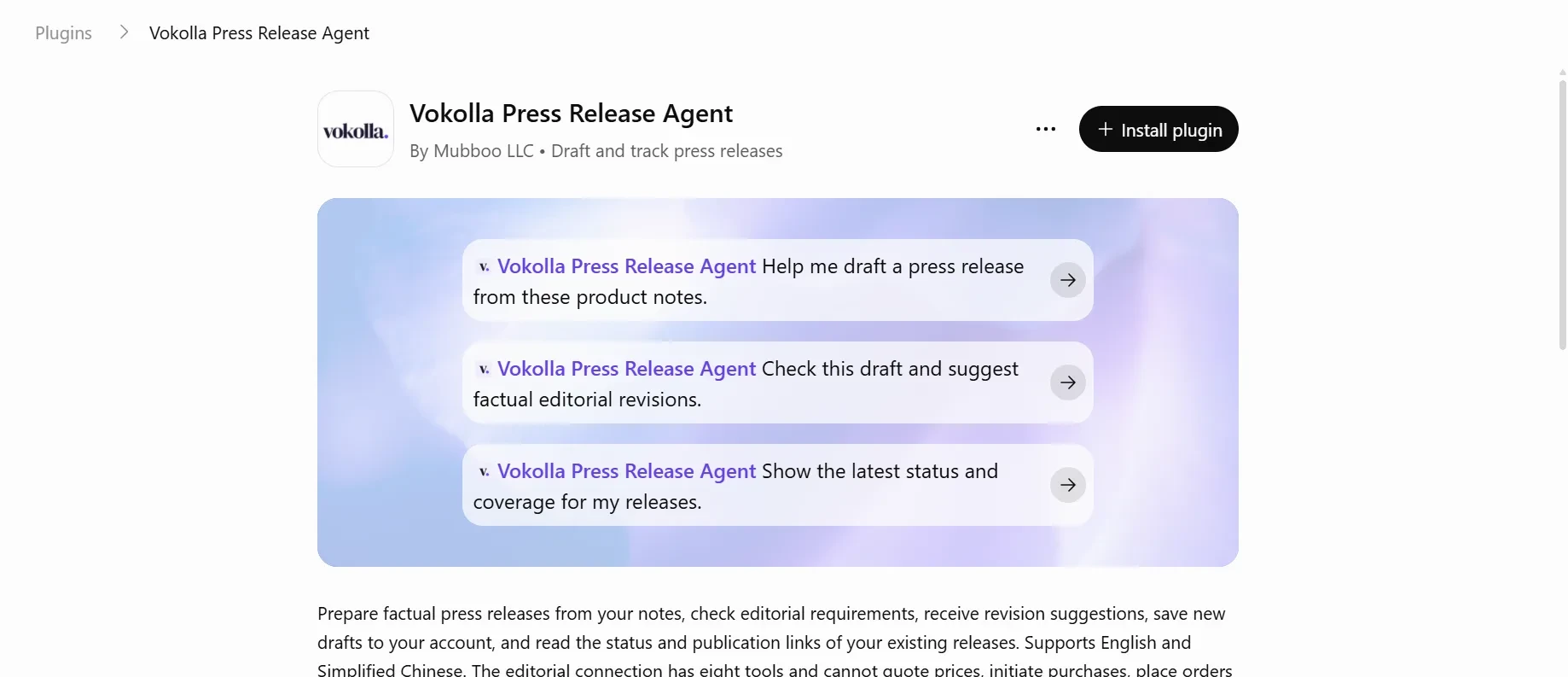
Open the plugin page, or search for “Vokolla” in ChatGPT’s plugins, and click Install plugin. ChatGPT sends you to vokolla.com to connect your account. Sign in; a new email address is registered at this first sign-in.
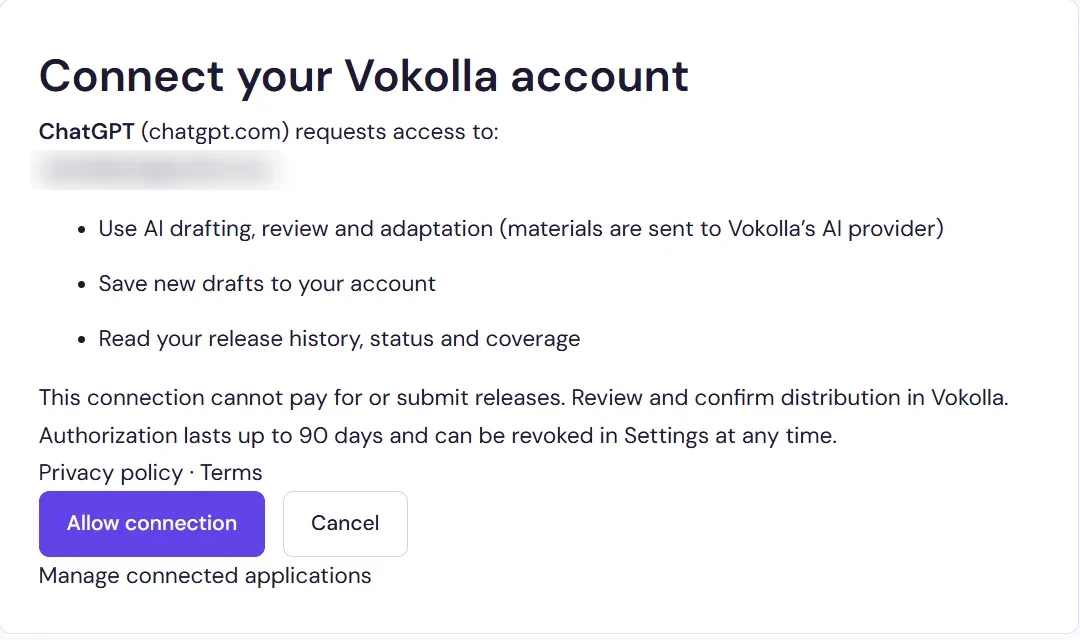
The page lists exactly what ChatGPT will be allowed to do: use AI drafting, review and adaptation (your materials are sent to Vokolla’s AI provider), save new drafts to your account, and read your release history, status and coverage. It also says what the connection cannot do: pay for or submit releases. Click Allow connection. The authorization lasts up to 90 days and you can revoke it under Settings, Connected AI applications.
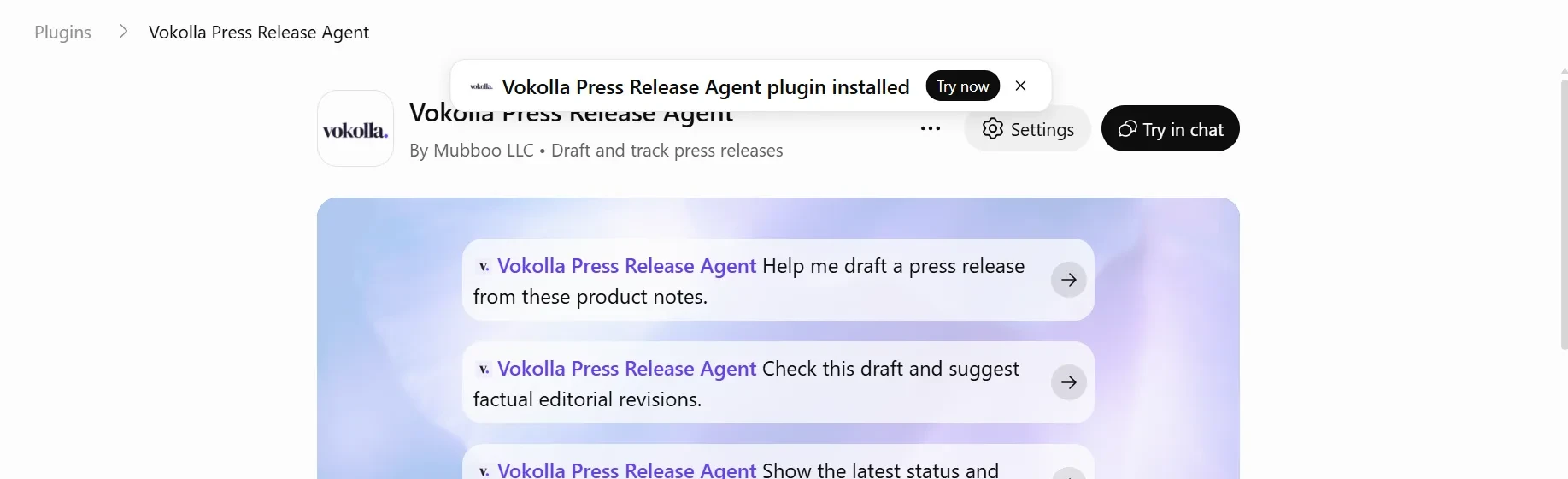
After you allow it, ChatGPT shows “Vokolla Press Release Agent plugin installed” with a Try in chat button.
Source: Vokolla Press Release Agent in the ChatGPT plugin directory
Source: Vokolla MCP connection guide and tool reference
- Use AI drafting, review and adaptation
- Save new drafts to your account
- Read your release history, status and coverage
Confirm the plugin is installed
Once the connection is allowed, the plugin page in ChatGPT changes from Install plugin to Settings and Try in chat. Settings is where you can see or remove the connection from the ChatGPT side.
Source: Vokolla Press Release Agent in the ChatGPT plugin directory
Paste your notes
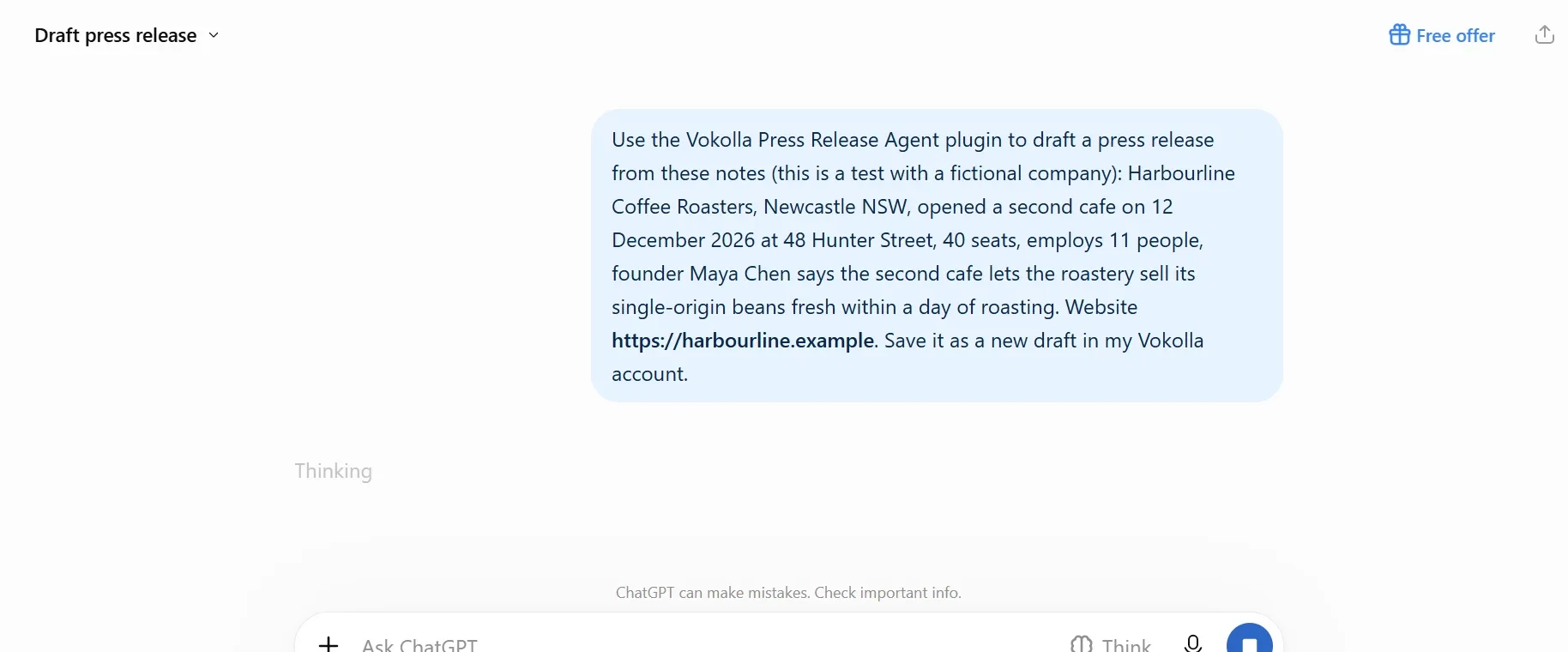
Start a chat and ask ChatGPT to use the plugin. We tested with two fictional companies. The first prompt read: “Use the Vokolla Press Release Agent plugin to draft a press release from these notes (this is a test with a fictional company): Harbourline Coffee Roasters, Newcastle NSW, opened a second cafe on 12 December 2026 at 48 Hunter Street, 40 seats, employs 11 people, founder Maya Chen says the second cafe lets the roastery sell its single-origin beans fresh within a day of roasting. Website https://harbourline.example. Save it as a new draft in my Vokolla account.”
Source: Vokolla Press Release Agent in the ChatGPT plugin directory
Allow the permission request
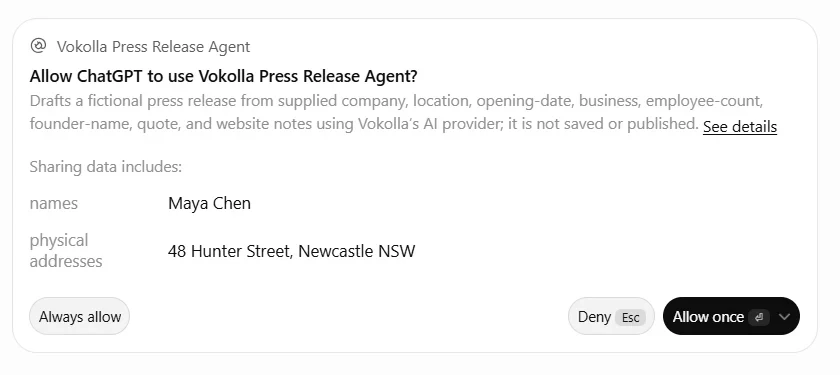
ChatGPT asks for permission before it sends your notes to the plugin and names what will be shared, here a street address and the founder’s name. Choose Allow once while you test; Always allow removes the question on later requests.
Source: Vokolla Press Release Agent in the ChatGPT plugin directory
Write better notes
A better first draft starts with better notes. What worked best for us, in this order:
- What happened, with the exact date. If the date is in the future, say so (“will open”).
- Where: the city, and the street address if the news is a place.
- The numbers a reporter would check: seats, staff, prices, sizes.
- Who said what. Give a quote only if the person said it or approved it. If you are paraphrasing, say so.
- Your website and a media contact: name, email and phone.
- Two lines about the company: when it started and what it does.
What comes back
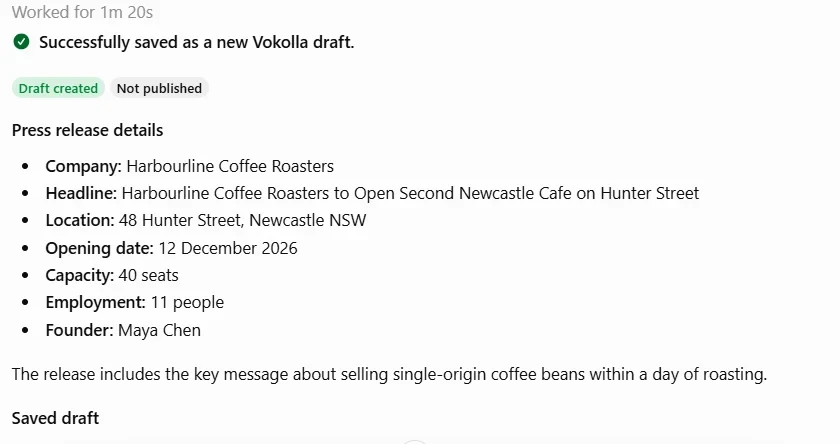
The agent returns an English release with a headline, a dateline, the facts you gave and a short About section, and a list of what it could not fill in. For the Harbourline notes it listed the media contact name, email and phone, the founder’s exact quotation and more company background. It did not write a quote. It also noticed that 12 December 2026 was still in the future when we ran the test and wrote the opening as an announcement (“will open”) rather than a report (“opened”).
Then it ran Vokolla’s checks. The same draft came back with an editorial review (missing phone, no verified quote, unfilled placeholders, promotional wording in the summary) and a rules check: 167 words where Vokolla asks for at least 300 (400 to 800 is the recommended length), plus missing contact details. The status lines at the end were the ones we most wanted to see: saved to your Vokolla account, yes; submitted, no; charged, no.
We ran a second test with Chinese notes for a fictional teahouse in Hangzhou. The release text came back in English, as it should: Vokolla distributes releases in English only. ChatGPT may show its own Chinese explanation next to it. If an edited version is pasted back in Chinese, Vokolla stops it before payment and asks for an English version.
Source: Vokolla MCP connection guide and tool reference
Open the draft on Vokolla
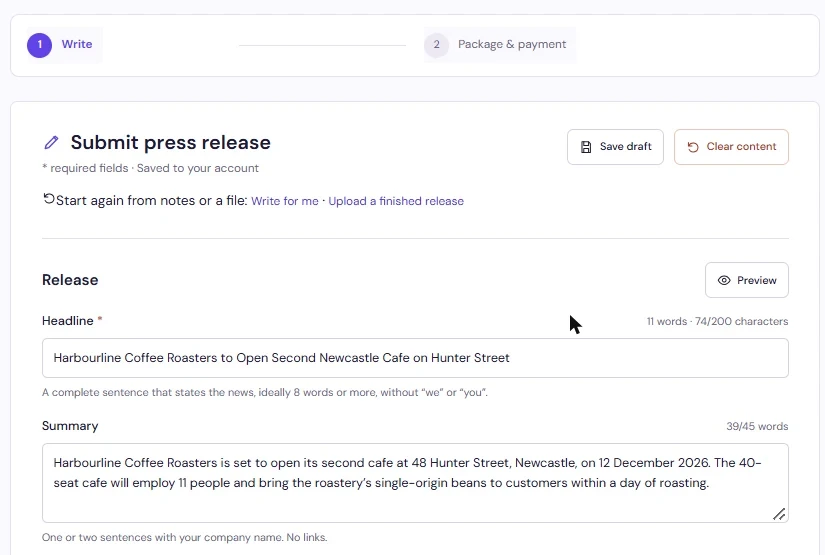
After you save, Vokolla emails you a link that opens the draft in the editor. The email says the draft was not submitted and nothing was charged. In the editor you add what the agent listed as missing, such as the quote and the contact details, check the facts once more, choose a package and confirm. An editor reviews every release before it goes out. Once published, the release puts your news on news sites under your company’s name, with a date, where customers, search engines and AI assistants can find it.
Package prices are public on vokolla.com, from US$69 for a release, and each account can send one free release in English every 30 days. Payment and submission always happen on the website, by design: the ChatGPT connection has no tool to quote prices, place an order, pay or submit.
Source: Vokolla press release preparation and distribution platform
Source: Vokolla MCP connection guide and tool reference
Track the release from ChatGPT
After a release is submitted on Vokolla, you can ask ChatGPT: “Show the latest status and coverage for my releases.” The agent lists your releases and reads the status and the coverage links back to you. It only reads. It cannot retry, cancel or change anything.
Source: Vokolla Press Release Agent in the ChatGPT plugin directory
What the agent will not do
We tested these limits on purpose, including a request to submit the draft and pay for the Global Impact package with account credits. The agent refused the payment and the submission and sent us back to the website.
Source: Vokolla MCP connection guide and tool reference
- It does not invent facts or quotes. A missing fact is listed for you to fill in.
- It does not publish for you. Distribution is a separate step you confirm on vokolla.com.
- It does not promise coverage, rankings or AI citations. Vokolla’s editors review every release, and each outlet decides whether to publish it.
- It writes the release in English, whatever language your notes are in.
Privacy, in short
Your notes go to Vokolla’s AI provider to draft and review. Drafts you save belong to your Vokolla account. You can remove the connection at any time under Settings, Connected AI applications on vokolla.com, or from the plugin’s Settings in ChatGPT.
Sources and editorial method
Factual platform guidance was checked against the primary sources below. The diagrams, checklist and examples are editorial recommendations, not platform rules or measured customer results.
- Vokolla Press Release Agent in the ChatGPT plugin directory — Checked 2026-11-19
- Vokolla MCP connection guide and tool reference — Checked 2026-11-19
- Vokolla press release preparation and distribution platform — Checked 2026-11-19